
Understanding Free Margin in Forex Trading
✍️ Learn how free margin 🔍 shapes your Forex trades! Understand equity, margin level, calculations, and avoid costly mistakes for smarter risk control.
Edited By
Sophie Harrison
TradingView has become a go-to platform for many traders and investors, especially in Nigeria's bustling financial scene. Whether you’re keeping a close eye on the Nigerian Stock Exchange or tracking forex pairs and cryptocurrencies, TradingView offers a handy set of tools. But not everyone needs—or can afford—the full suite of paid features. That’s where TradingView Free comes into play.
In this article, we'll break down exactly what's on offer with the free version. You’ll find out what features you get at no cost, how these can boost your market analysis, and where you might hit some roadblocks if you’re used to advanced setups. The goal is to give you a clear picture of what to expect and how to squeeze the most from those no-charge tools.
If you’re just starting out or testing the waters with market analysis, understanding the strengths and limits of TradingView Free can save you time and confusion—and keep your trading sharp without spending a dime.
We’ll cover key points such as charting capabilities, indicators, watchlists, and alerts included in the free plan. Plus, we’ll offer practical tips on navigating its constraints so your trading or investing decisions stay clear-headed and effective, even when working without premium features.
So, whether you’re a trader or an analyst looking for a solid foundation or a cost-conscious way to stay informed, this guide will walk you through the essentials.
When it comes to trading and market analysis, having the right platform sets the tone for your entire strategy. TradingView stands out because it offers a blend of user-friendly tools and powerful charting capabilities, all accessible from a web browser without the hassle of downloads or installations. This overview explains why understanding TradingView is vital for anyone serious about reading markets, especially in Nigeria's fast-evolving financial ecosystem.
TradingView bridges the gap between complex financial data and practical trading decisions. It saves traders from juggling multiple software tools by providing everything in one place — interactive charts, real-time data (with some limitations on the free plan), and a social community for sharing ideas. For individuals just starting out or those who prefer not to commit upfront costs, the free version provides enough features to get your feet wet and develop insights.
TradingView is essentially a cloud-based charting and social networking platform designed primarily for traders and investors. Its main draw is the interactive charts that display price movements across stocks, forex, cryptocurrencies, and more. Unlike traditional desktop trading software, TradingView works directly from the browser, which means updates, data feeds, and new features are seamless and automatic.
Beyond just charts, TradingView includes tools for technical analysis like trend lines, Fibonacci retracements, and dozens of popular indicators such as RSI and MACD. These tools help traders spot patterns and potential market moves. The platform’s scripting language, Pine Script, allows users to create custom indicators or tweak existing ones — a feature even the free plan touches upon, though with some constraints.
Imagine you're a Nigerian investor tracking Nike shares alongside Bitcoin and the Naira/USD exchange rate. TradingView makes this kind of multi-asset monitoring straightforward and visually coherent.
TradingView attracts a broad audience: from casual investors looking to check stock prices to professional analysts customizing complex indicators. Its market reach is global, covering thousands of instruments including stocks, commodities, indices, forex pairs, and cryptocurrencies. This appeals to diverse traders — day-traders, swing traders, and long-term investors alike.
In Nigeria, where access to some international exchanges can be limited through local brokers, TradingView offers a window to global markets for research and charting. Its broad user base creates a thriving community that shares trading ideas, scripts, and strategies, which is especially helpful for new traders seeking guidance or validation.
Trading platforms are more than just software; they are gateways. For Nigerian traders, having access to global markets is a game-changer. Local exchanges like the Nigerian Stock Exchange (NSE) provide opportunities, but international stocks, forex pairs, cryptocurrencies, and commodities are often unavailable or hard to analyze locally. TradingView allows Nigerians to watch and study these assets easily.
This access means a trader in Lagos can monitor Tesla stock performance, track gold prices, and follow the forex rate with equal convenience. Since many brokers in Nigeria now integrate with platforms like TradingView, this access isn't just theoretical — it’s practical and ready to use for trading.
Trading without reliable data is like driving blind on a busy highway. TradingView equips users with real-time charts, an array of technical indicators, and even economic calendars where available. These tools help Nigerian traders make decisions based on trends, volume changes, and shifts in momentum rather than guesswork.
For example, say a trader spots a bullish divergence in the RSI indicator on a stock listed on the NSE. This insight, coupled with news alerts and market sentiment visible through TradingView’s public ideas feed, can lead to smarter, timely trades. The platform’s alert system (even in the free version) notifies users when a price hits certain levels, preventing missed opportunities.
In the Nigerian context, where timely access to accurate market information isn't always guaranteed, platforms like TradingView help level the playing field and enhance traders’ confidence.
In short, the overview of TradingView sets the stage for exploring what you get in the free plan and how it serves as a practical tool for traders and investors navigating both local and global financial markets.
TradingView Free offers a surprisingly solid package for traders and investors who want to get a grip on market movements without spending a dime. The key features available in the free plan allow you to carry out effective charting, monitor your favorite assets, and even engage with a vibrant trader community. For Nigerian traders, this is especially valuable given the variety of exchanges they follow — from Nigerian stocks to global markets.
TradingView Free covers the basics well with chart types like line, bar, candlestick, and area charts. Candlestick charts are particularly popular since they give a clear snapshot of price action, showing open, high, low, and close prices for each period. This versatility helps traders spot trends and reversals more easily.
Imagine you’re tracking the Nigerian Stock Exchange (NSE) for Zenith Bank shares. You can switch between candlestick and line charts to confirm your analysis or to visualize price changes differently. The ability to toggle between chart types ensures you don’t miss key signals.
While premium plans let you stack up as many indicators as you want, TradingView Free restricts you to three indicators per chart. Still, the platform offers a decent range of indicators — including Moving Averages, RSI (Relative Strength Index), MACD (Moving Average Convergence Divergence), Bollinger Bands, and more.
For instance, a trader might combine RSI and MACD to check for momentum alongside trend strength, helping decide whether to buy or sell Nigerian equities or forex pairs. Even with the limit, choosing the right combo can give solid insights without overwhelming the chart.
Watchlists in TradingView Free let you track a collection of stocks, currencies, or commodities you’re interested in. You can create multiple watchlists and name them according to your trading style or market sector — for example, a "NSE Top Picks" list or a "Forex Majors" watchlist.
Managing these watchlists is straightforward. You add symbols by typing their ticker, organize them, and even reorder the list based on your priorities. This tool ensures you keep all crucial markets at your fingertips.
Alerts are a must to not miss important price moves, and the free plan allows a single alert at a time. While that's limited, you can set alerts on price levels or indicator values.
Say you want to know when the USD/NGN exchange rate hits a specific target, or when MTN Nigeria’s stock price dips below a certain threshold — setting an alert sends you a notification. It’s a simple but effective way to stay on top without constantly watching the screen.
TradingView has a lively community where traders share ideas and trading scripts (custom indicators or strategies). The free plan enables full access to this pool, letting users browse published chart setups and even copy scripts.
If you’re new, this can be a treasure trove: you’ll find analysis on Nigerian markets, forex pairs, commodities, and global stocks. It’s like having a free mentorship, where experienced traders share their setups and thoughts.
Beyond just observing, you can comment on public posts and join discussions without any restrictions. This interaction helps you get fresh perspectives or clarify doubts about trading strategies.
Picture yourself asking a question about how to interpret a head and shoulders pattern on Nigerian equities, and getting responses from multiple community members—it’s a handy way to learn and grow your trading skills.
TradingView Free’s features may have limits, but they open a door to smart market analysis and community-backed insights without any upfront cost. It’s a practical starting point before considering any paid upgrade.
When digging into TradingView Free, it’s essential to understand what’s held back compared to the paid versions. These limitations aren’t just small annoyances; they can affect how effectively you analyze markets or react to price movements. For traders in Nigeria, being aware of these constraints helps avoid surprises and makes it easier to decide if the free plan fits your style or if it’s time to consider upgrading.
TradingView Free lets you add up to three indicators on a single chart. That means if you're used to stacking RSI, MACD, and Bollinger Bands all at once, you’re good to go. But if you want to add more complex overlays like Ichimoku clouds or several moving averages, you’ll hit a wall quickly. This limit keeps your charts uncluttered by design, which can be helpful, but it might restrict thorough multi-indicator strategies.
To work around this, you might use separate charts with different indicators or rely on simpler setups. For instance, instead of using two oscillators and a trend indicator on one chart, you might split them across two charts when possible. This restriction forces you to prioritize the most important signals, which can actually improve trading focus.
The free plan allows viewing only one chart per layout. This is a notable drawback for anyone who wants to monitor multiple markets or timeframes simultaneously. If you’re a forex trader in Lagos wanting to keep an eye on USDNGN, EURUSD, and JPYUSD all at once, the free plan won’t let you see these in one glance.
This limitation challenges active traders who juggle several assets. A workaround includes switching tabs or browser windows, but that adds friction and can slow down decision-making when things move fast. For less active traders, a single chart might suffice, but multi-monitor setups or advanced chart layouts require the paid plans.
Free TradingView accounts don’t always get real-time quotes for every market, especially stocks and futures exchanges. Some data streams arrive with a 15 to 20-minute delay, which isn’t ideal when precision timing is needed. This lag affects the ability to react instantly to news or market swings, which can be especially frustrating during volatile sessions.
For example, Nigerian traders watching local or international stocks might notice a delay that causes them to see price changes after they have already happened. It’s crucial to know this upfront so you don’t make trades thinking you’re reacting to live data.
The free plan doesn’t give access to all markets or premium exchanges. Certain global exchanges, like the Tokyo Stock Exchange or specific futures markets, may be out of reach. This means if a Nigerian trader wants to explore less common international assets, they might be blocked or stuck with partial data.
To get around this, some use third-party brokerage platforms with real-time feed integrated alongside TradingView charts. That can fill gaps but involves switching platforms and sometimes additional costs.
One of the trade-offs of the free plan is seeing ads on your TradingView interface. These aren’t just banners on the side but can appear as pop-ups or embedded within the workspace. Ads might promote brokerage partners or premium subscriptions, reminding users regularly about the benefits of upgrading.
While not game-breaking, they interrupt flow and can get distracting, especially during busy market hours. Some users report that ads slow down platform performance on older devices, affecting smooth chart interaction.
The combination of ads and other free-plan restrictions sometimes affects how clean and intuitive the interface feels. Buttons and menus might be a little more cluttered, and some advanced customization options are locked away. This could mean more clicks to do simple tasks or lesser freedom to arrange your workspace exactly how you want it.
However, these downsides should be weighed against the fact that you’re getting a solid set of free analysis tools with no upfront cost. Users willing to accept some interruptions and delays can still find plenty of value. For those needing a slicker, fully unlocked experience, the paid plans provide a smoother ride.
Remember, every free tool has a trade-off. With TradingView Free, understanding these limits means you can work smarter within bounds or make informed choices about when to step up.
This section sheds light on practical hurdles Nigerian traders might face with the free TradingView plan. Grasping these limits helps manage expectations and allows each user to tailor their approach wisely.
TradingView Free offers a solid starting point for Nigerian traders looking to sharpen their market analysis without shelling out for premium plans. While it may not have every advanced feature, the platform’s free tools still deliver practical value, especially when used strategically. For everyday traders and investors in Nigeria, understanding how to tap into these features fully can mean the difference between guessing and making informed decisions.
Many traders wrongly assume the free tier is too basic, but by customizing it to their trading style and market focus, they can gain insights that matter. The challenge is knowing which tools to prioritize and how to combine TradingView features with other resources readily available in Nigeria’s trading environment.
Customizing charts is one of the most straightforward ways to add personal value to TradingView Free. The platform provides a variety of popular technical indicators—like moving averages, RSI (Relative Strength Index), and Bollinger Bands—that traders can overlay to spot trends or potential reversals. For example, a Nigerian trader tracking Nigerian exchange-listed companies on the NSE can use simple moving averages to identify when a stock price steps over its 50-day average, hinting at a possible shift in momentum.
Customizing charts helps reduce noise by focusing on the indicators that align with the trader’s specific strategy. Instead of getting overwhelmed by dozens of options, users can pick and save preferred setups for quick access later. Remember to keep setups straightforward, as the free plan limits indicators per chart to three. It’s better to master a few than juggle many ineffectively.
Alerts are a game-changer when it comes to managing trades without constant screen watching. TradingView Free allows basic alerts based on price movements, perfect for staying on top of critical levels without the premium price tag. Nigerian traders can set alerts on support and resistance levels or specific price thresholds.
For example, if you’re tracking MTN Nigeria’s shares and anticipate a breakout above ₦140, an alert can notify you the moment the price crosses this point. This way, you don’t miss timely entry or exit moments simply because you weren't glued to your screen. Even with limited alert options on the free plan, they offer enough functionality to catch those key market moves.
Integrating TradingView with brokerage accounts is another practical step Nigerian traders can take. While TradingView Free does not support direct order execution, pairing it with brokers like Chaka or Trove enables traders to do in-depth analysis and then execute trades seamlessly on these platforms.
For instance, you might use TradingView to study detailed charts and set price alerts, then switch over to your brokerage app to place orders. This two-step approach helps traders take full advantage of advanced analysis tools without incurring extra costs for premium TradingView features.
Numbers and charts tell part of the story, but staying updated with financial news and market data is equally vital. Nigerian traders should complement TradingView Free with reputable local and international news sources like BusinessDay Nigeria, Bloomberg, and Reuters. These sources can add context to the price moves observed on charts.
For example, a sudden jump in Dangote Cement’s stock price on TradingView might make more sense once you read a news update about the company’s latest earnings or a government infrastructure plan. Combining technical analysis from TradingView and fundamental updates from news outlets ensures traders make better-rounded decisions.
Efficient use of TradingView Free is less about what’s missing and more about smart combination. By customizing charts, setting timely alerts, and pairing TradingView with brokerage and news tools, Nigerian traders can create a solid workflow without breaking the bank.
Knowing whether to stick with the free version of TradingView or to opt for one of the paid plans can really shape your trading experience. This comparison is crucial for traders who want to weigh the features they actually need against the cost of upgrading. Free plans often serve as a good starting point, but paid plans offer expanded tools that can help traders spot opportunities faster and stay ahead in fast-moving markets.
For instance, everyday traders in Nigeria who rely on the free plan might find it sufficient for basic charting and alerts. But as their strategies get more complex or when they want to analyze multiple markets simultaneously, paid plans become more appealing. They unlock professional-level tools that can make a tangible difference during high volatility or when trading outside regular market hours.
One of the main benefits of upgrading is the ability to use more indicators per chart and have several charts open at once. The free plan limits users to 3 indicators per chart and only one chart layout. If you're tracking multiple signals—say moving averages, RSI, and volume together on one chart—you quickly hit that ceiling.
Paid plans like TradingView Pro allow up to 10 indicators on a single chart and multiple chart layouts side by side. This feature is a game changer when you want to compare trends across different time frames or assets without having to open and close charts repeatedly. It saves time and helps keep a better eye on market moves.
Free users experience delayed data feeds, especially for futures and forex markets, which can be frustrating during active trading hours. Paid subscribers get real-time data for more exchanges, including those popular with Nigerian traders such as the Nigerian Stock Exchange (NGX) and US markets.
This speed matters when prices change in seconds—getting delayed data could mean making decisions a step behind the market. For example, scalpers or day traders who need up-to-the-second info will find paid plans worth the cost for this edge.
The free plan offers basic alerts, but these are limited in number and customization. Paid accounts unlock more alerts and allow users to set complex conditions—for example, alerting when a specific combination of indicators triggers a buy signal.
Customization also extends to the chart layouts and interface, letting traders tailor the workspace to their style. This flexibility improves workflow and reduces the chance of missing critical market signals.
To sum up, paid plans provide more tools and flexibility, but the free version can still be a solid option depending on your trading style and goals.
TradingView’s paid options vary in price—from Pro to Premium—with monthly fees ranging roughly between $14.95 to $59.95. For Nigerian traders, this translates to approximately ₦9,000 to ₦37,000, depending on the exchange rate and subscription plan.
It's important to consider that subscribing for a full year usually offers a discount compared to monthly payments. For traders with tighter budgets, starting with the Pro plan gives access to the key upgraded features without breaking the bank.
Active traders holding multiple positions or employing algorithmic systems gain more from paid plans because the expanded feature set saves time and improves decision quality. For example, a trader working with several currency pairs and stocks simultaneously may find the investment in TradingView Pro or higher justified by reduced missed opportunities and better risk management.
On the flip side, investors who take a slower, long-term approach might delay upgrading until their strategies demand more advanced tools. The free plan still ticks many boxes, especially for those who research thoroughly before entering trades.
Ultimately, Nigerian traders should assess their trading frequency, complexity, and budget to decide if the upgrade aligns with their trading growth.
This comparison helps you make an informed choice that fits your trading goals, ensuring you’re not paying for features you won’t use but also not missing out on tools that could make a serious difference.
Kicking things off with TradingView Free lays the foundation for all the market analysis and trading you plan to do. It’s not just about signing up and diving in; it’s about setting up your account properly and getting comfortable with the interface so you don't fumble around when the market moves fast. For Nigerian traders, this step is especially important since maximizing free tools can mean the difference between a hit or miss in trading decisions.
The sign-up process on TradingView is straightforward but worth a quick walkthrough to save you headaches. First, head to TradingView's homepage and click the sign-up button. You’ll need to fill out your email, create a password, and choose your country — Nigeria included, of course. Alternatively, you can sign up quickly using Google, Facebook, or Apple accounts.
Remember to confirm your email after registering. This activation helps avoid annoying login issues later.
Once logged in, setting up your profile is the next important step. This includes entering your trading preferences, like preferred markets or assets. For example, if you’re more into the Nigerian Stock Exchange (NSE) or Forex trading, highlight these in your profile. Doing this helps TradingView tailor news and alerts better suited for your interests.
Setting up preferences also means deciding on chart defaults—choose a time zone, preferred chart type (like candlestick or line), and the default indicators you'd like to see when you open a chart.
When you're ready to start analyzing, opening charts is your go-to move. TradingView’s interface lets you easily search for instruments—type in something like "NSE:MTN" for MTN Nigeria’s stock or "USDNGN" if you’re tracking the dollar to naira Forex pair. Click on the instrument, and your chart pops right up.
Adding indicators is a breeze. Look for the indicators button on the top panel, then browse through hundreds of options. For free users, common choices like RSI, Moving Averages, or MACD are available. These tools help spot trends or momentum shifts—a must for any serious trader.
Managing watchlists and alerts rounds out your setup. Your watchlist is like your market watch dog; keep tabs on your favorite stocks or currencies. Simply add symbols to your watchlist, and they’ll be just a click away.
Alerts are crucial for not missing out on key price moves. Setting an alert on TradingView Free usually involves picking a price point or indicator level. When that target hits, TradingView notifies you either through the app or email. For example, you could set an alert for when the USDNGN exchange rate hits 750, so you can take timely action.
Tip: Organize your watchlist by asset class or market to keep it tidy and responsive to your trading goals.
Getting started well means you’re not fumbling in the dark. With a properly set-up account and basic navigation skills, you’ll be ready for smarter moves in real time without paying a dime upfront.
✍️ Learn how free margin 🔍 shapes your Forex trades! Understand equity, margin level, calculations, and avoid costly mistakes for smarter risk control.
Discover how TradingView 📈 and Deriv 💹 empower Nigerian traders with essential tools and features to make informed trading decisions confidently.
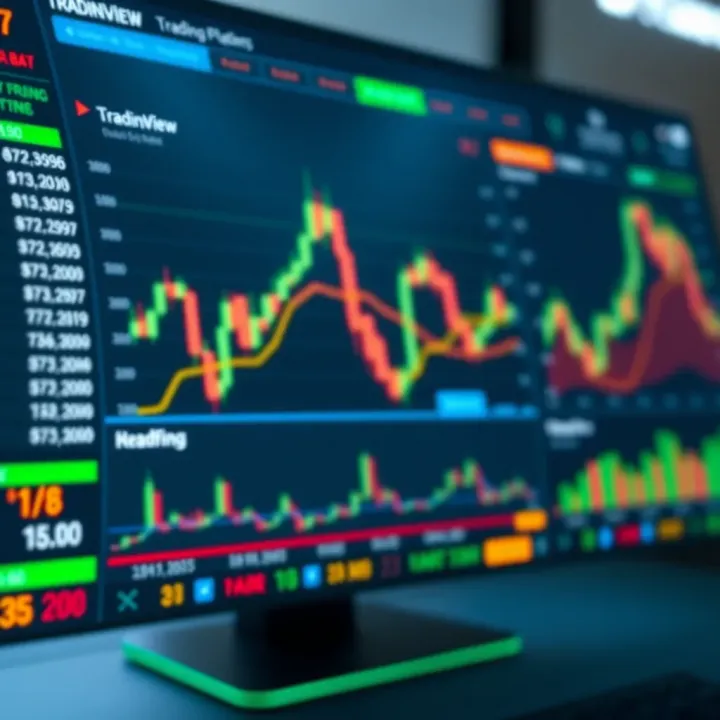
Discover how TradingView boosts trading skills in Nigeria 🇳🇬. Learn to use its powerful features for clear market analysis and smarter investment decisions 📊💡.
📊 Discover how copytrading works in Nigeria! Learn key strategies, benefits, risks, and top platforms to trade smartly and confidently. 💹
Based on 6 reviews